UK:
UK: 
What’s New in the Spring ’26 Salesforce Release That Our Nonprofit Customers (Admin Focus) Should Know About?
Each year, Salesforce releases three seasonal updates that provide enhancements and key upgrades to their product offerings. Those releases take place in the Spring, Summer, and Autumn, albeit with Salesforce calling them Spring, Summer, and Winter.
At the time of writing, the Spring ’26 upgrade is now live and in Production Environments.
Who should read: This is a Salesforce Administrator-focused blog, as opposed to one focused on end-user functionality.
Now, let’s dive into what we feel are the key areas of note in the Spring ’26 release.
Improvements to List Views
1) Use Updated Empty Value Placement in List View Sorting
List views are a surprisingly important part of how many nonprofit teams run day-to-day operations. Whether it’s a fundraiser working through a prospect list, a service team triaging cases, or a volunteer coordinator scanning new sign-ups, list views often become “the work queue”.
A small but meaningful change in Spring ’26 improves how list view sorting behaves when there are blank values. Historically, when sorting a column, records with blank (null) values would often jump to the top — meaning “missing information” could block the most relevant records from view. In Lightning, blank values are now treated as the highest value when sorting, which means:
If you sort by ascending → blank values will move to the bottom.
This is a simple user experience improvement, but it can genuinely save time in busy Salesforce Orgs where list views are used as operational dashboards.
Improvements to Reports and Dashboards
Good analytics provide high-quality value to Nonprofit Organisations. Whether that be monitoring reporting, reporting for grants, or simply Dashboards to remind staff members of what they have coming up that week. Reporting is tied to a large number of requirements we see on new implementations and ongoing support needs.
2) Ensure Compliance with Custom Disclaimers on Exported Reports
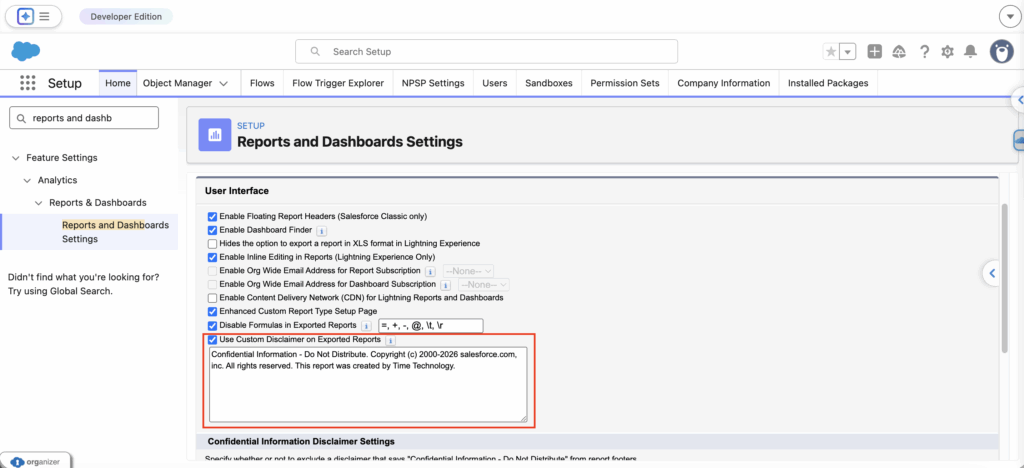
Nonprofits regularly export data from Salesforce into spreadsheets for internal review, funder reporting, partner sharing, and operational tracking. Salesforce now makes it easier to include required wording automatically by allowing Admins to add a custom disclaimer to exported reports (appearing after the standard Salesforce disclaimer).
This can help reinforce data protection expectations and reduce the risk of people forgetting to add important context when sharing exports — particularly for items like supporter lists, service user statistics, or grant reporting packs.
This setting is enabled via Reports and Dashboards Settings in Setup, where you can turn on the option and paste in the disclaimer text you want to appear.
3) Embed Custom Lightning Web Components in Dashboards for Interactive Data Views (Beta)
Salesforce also introduces the ability to embed custom Lightning Web Components (LWCs – frameworks to build custom interfaces) directly into dashboards, enabling more bespoke or interactive dashboard content than standard.
For nonprofits with more advanced reporting requirements (or those working with a partner/developer), this could unlock richer “at-a-glance” experiences — especially where standard charts and tables don’t quite fit the need.
A key note here is that this is currently a Beta/pilot feature and must be enabled via Salesforce Support, so it isn’t a simple Setup toggle. If your organisation doesn’t currently use custom components, treat this as a “watch this space” update rather than something you need to act on immediately.
Once enabled, the flow is: dashboard edit mode → add a widget → choose Lightning Web Component → configure the component.
Improvements to Themes and Branding
4) Use Dark Mode in More Editions (Beta)
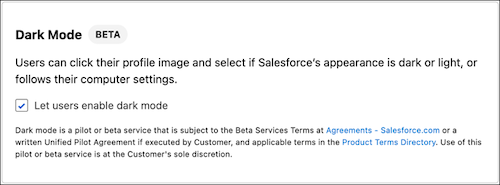
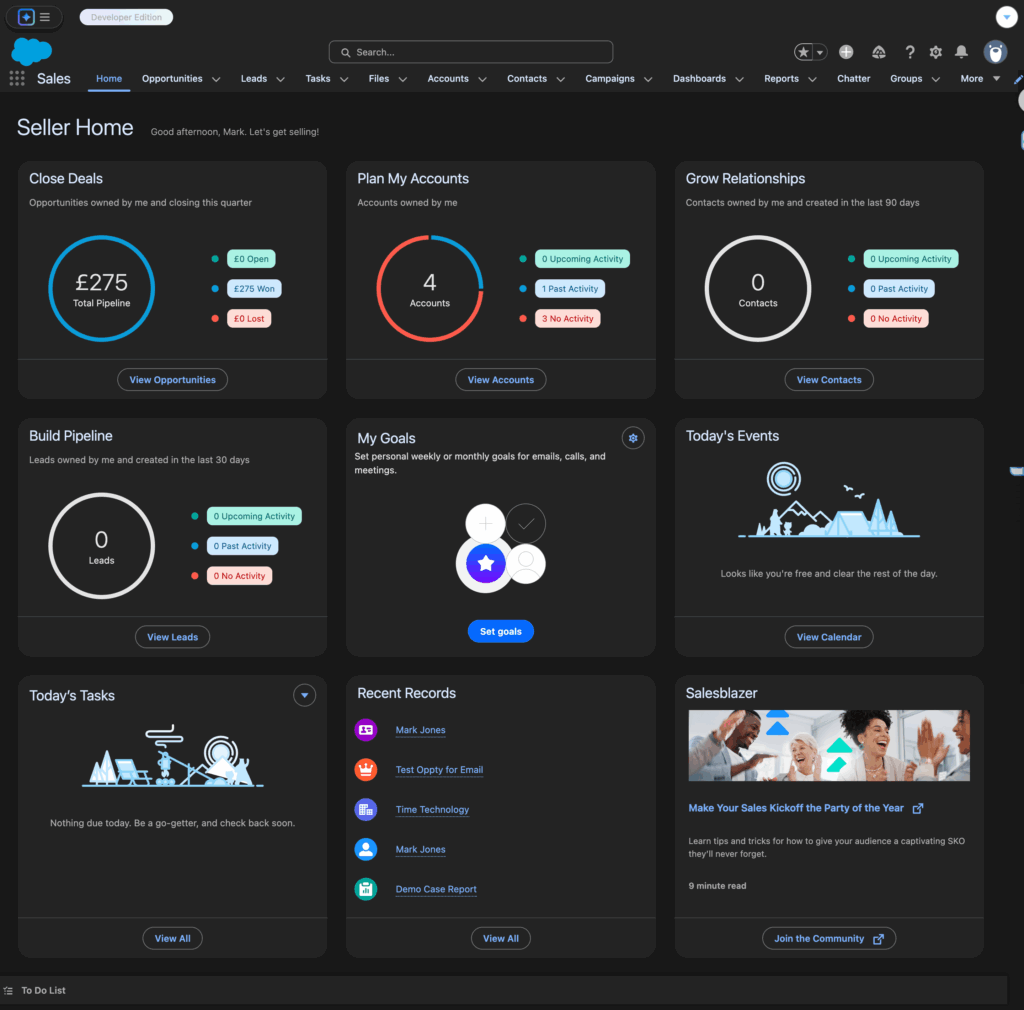
Spring ’26 expands access to Dark Mode (a dark background user interface) in Lightning Experience (using Salesforce Lightning Design System (SLDS) 2 themes). Previously, this was much more limited, but it is now available in more editions — giving users the option to switch to a darker interface that can reduce eye strain and support accessibility preferences.
This is especially relevant for nonprofits where staff may spend long days in Salesforce, work evenings at events, or switch between environments throughout the day. It’s a usability improvement that doesn’t require changing your data model or processes.
A few important limitations apply because this is currently a Beta/pilot feature and some areas aren’t fully optimised yet, including analytics and reports/dashboards, rich text editors, builders, and Setup.
To enable it, you’ll need to create or edit an SLDS 2 theme in Setup (Themes and Branding), allow users to enable dark mode, then activate the theme. Users can then choose their appearance from their profile menu.
Improvements to Health Checks
5) Stay Secure with Proactive Health Check Notifications
Nonprofits often operate with lean admin capacity, shared responsibilities, or reliance on support partners. Because of that, anything that helps Admins spot change early — before it becomes a bigger issue — is useful.
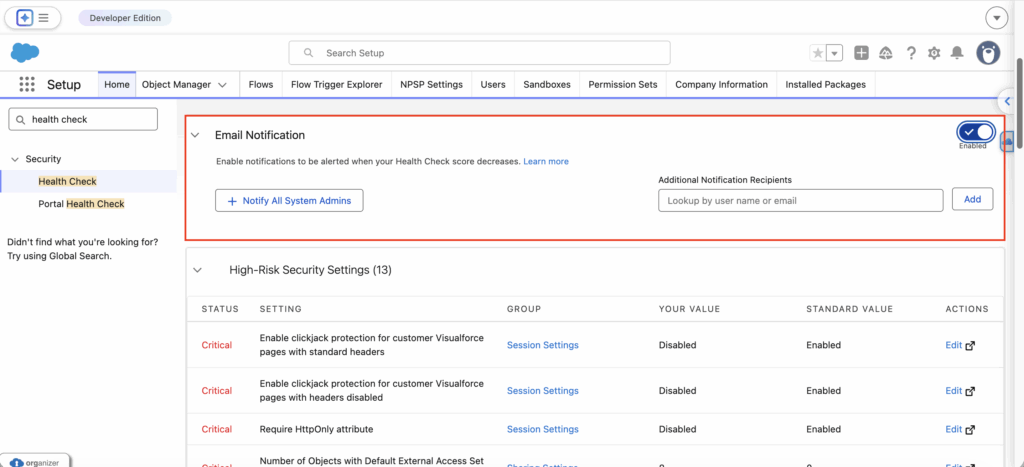
Spring ’26 introduces the ability to set who gets notified when your Salesforce Health Check score changes. This helps admins catch security-impacting shifts sooner (whether intentional or accidental) and respond before they become a risk.
You can enable this in Setup → Health Check, where you can notify all System Admins or specify recipients (including external email addresses, if appropriate for your support model).
Important Flow Updates to Be Aware Of
It is very common in most Salesforce releases to see a number of key updates for Flow Builder. This release sees quite a few, and three key updates are worth noting below.
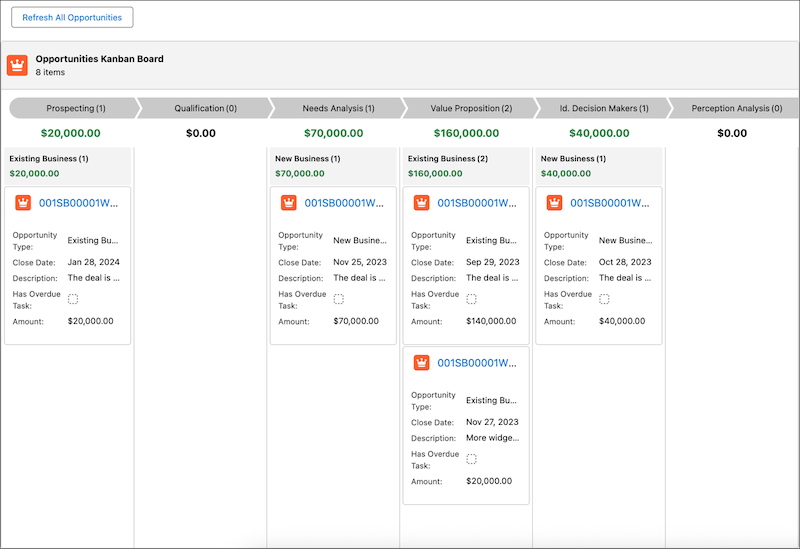
6) Visualise and Track Record Progress with Kanban Boards in Screen Flows (Beta)
Salesforce now offers a Kanban Board screen component that can be used inside Screen Flows. It displays records as cards across columns (based on a picklist field), giving users a stage-based view while they complete a guided process.
This is read-only (users can’t drag cards between columns during runtime), but it can still add significant clarity for common nonprofit scenarios —such as fundraiser pipelines, grant stage tracking, supporter journeys, or service case triage.
Because this is a Beta/pilot component, it’s worth using cautiously and rolling out gradually.
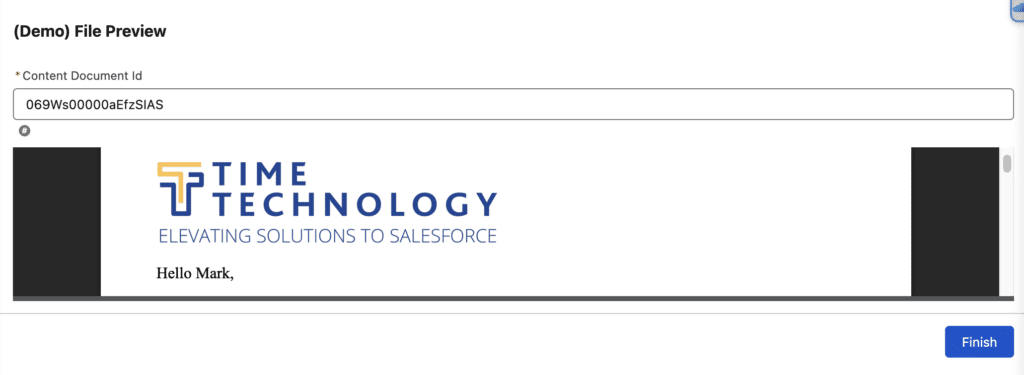
7) Preview Files Natively in Screen Flows
Document-heavy workflows are common in nonprofits — grant documentation, evidence files, agreements, and approval packs. Spring ’26 introduces a File Preview component that allows users to preview files directly inside a Screen Flow, without downloading or opening separate tabs.
This removes friction and reduces “I couldn’t find the file” moments — keeping people focused inside the process you’ve built.
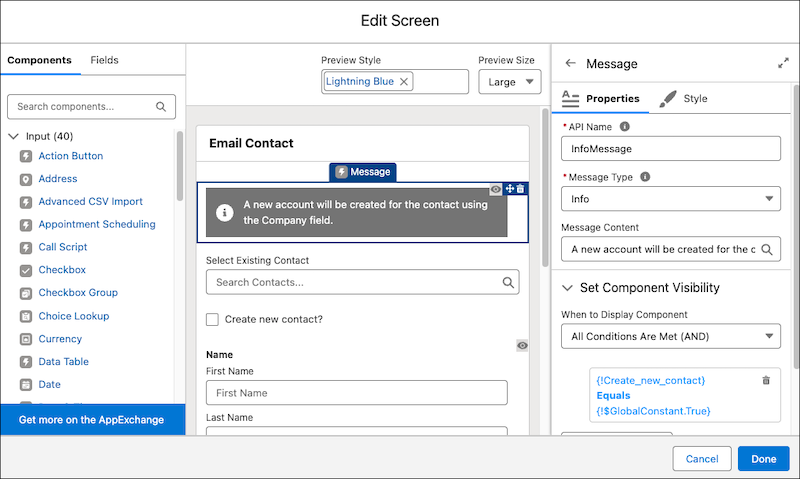
8) Add Visually Distinct and Accessible Messages to Screen Flows
Spring ’26 also introduces a new Message component for Screen Flows, allowing Admins to display info/success/warning/error messages in a way that is visually distinct and more accessibility-aligned.
For nonprofits with a wide mix of users — staff, volunteers, occasional users — clear guidance reduces mistakes and support requests. This also helps improve usability for users relying on screen readers or needing clearer visual distinction in guided steps.
There are some other items that may be worth reading around this area, we have shared these in a list below:
- Creation of New Connected Apps Is Disabled by Default
- Track Attempts to Use Uninstalled Connected Apps
- Prepare for Shorter Certificate Lifespans
- Open Screen Flows in Lightning Experience with a URL (Generally Available)
- Compare Screen Flow Versions to Track Changes More Efficiently
- Monitor Performance for Active and Previously Run Flows on the Canvas
- Share Reports and Dashboards Folders Using Usernames
N.B. As a side note, if you access any of the Release Notes shared in this article, please know that the default language shown on screen may not be English. If a Release Note opens up in a different language, please use your browsers native translate functionality to change the language of the article to English.