UK:
UK: 
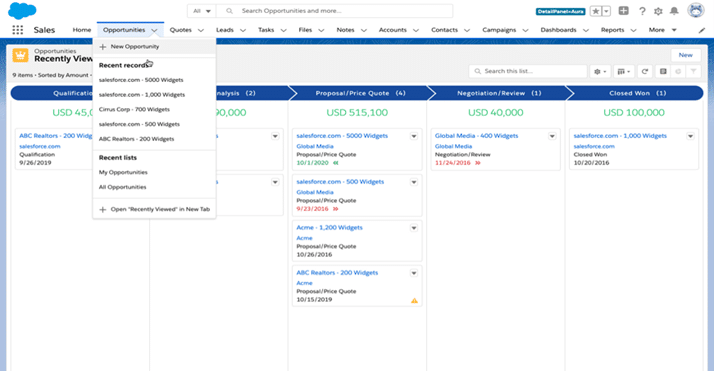
Community Cloud (now called Experience Cloud)
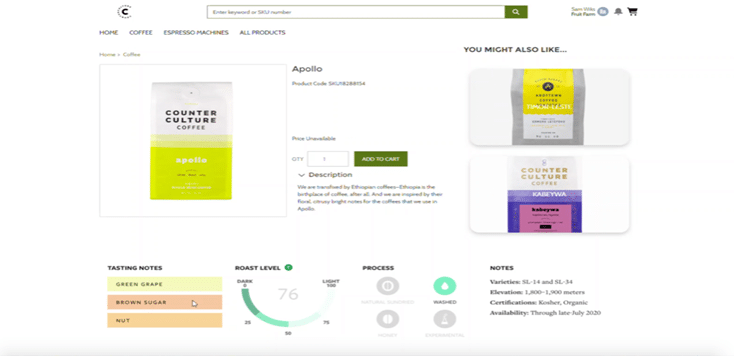
Following on from dynamic forms in Lightning, you can now dynamically control page content in Communities based on field values as opposed to just user profile info. This is actually very cool, particularly for e-commerce type sites (see example below) such that you can adjust the layout to suit the product you are showcasing.
Flow Changes
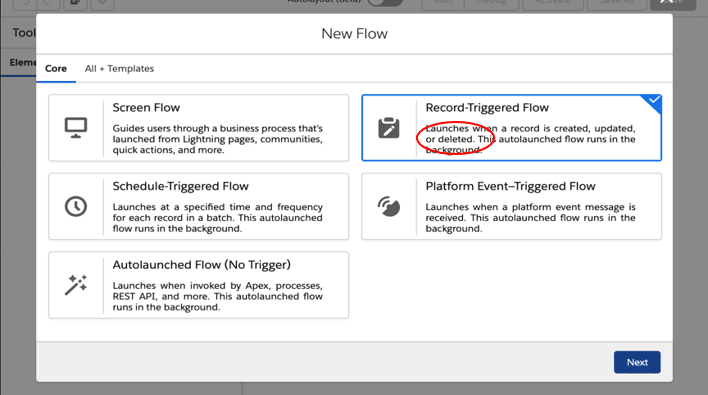
- Trigger on delete
I had an immediate use case for this feature. For one of my clients, I was maintaining data in an object in a very different structure to its source objects to allow easier reporting. I was able to manage additions and changes to data through flow, but could not automatically handle deleted data. This feature has resolved this and was, for me at least, a much-needed piece of functionality that worked perfectly.
- Auto Page Layout
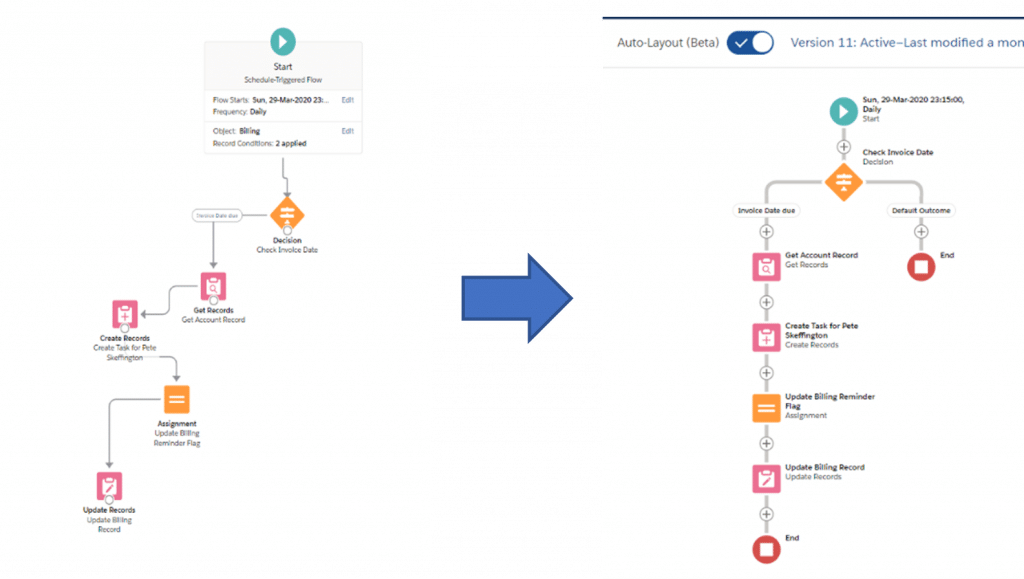
I’m not personally sure whether I like this feature, but it might just be a case of getting used to the change (not one of my strengths!). I can certainly see that the standardisation of the layout could be advantageous for maintenance purposes, but I also like to structure some of my more complex flows as I want them. Of course, there is nothing forcing you to use the auto layout, and hopefully Salesforce keep it that way, at least for me!
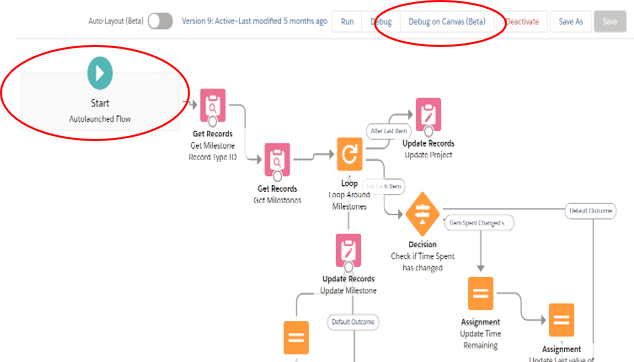
- Debug on autolaunch type flows
Love this feature! You can now run debug on Autolaunched flows, which has long been overdue. If you combine this with the summer ’20 feature to roll back changes and with the new feature to debug as a specific user, you can easily debug these flows now without having to dismantle error messages.
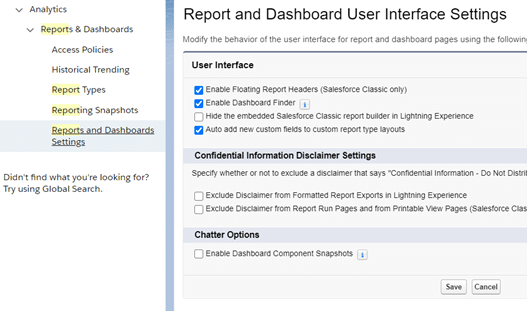
Custom report types auto addition
You can now take the option to auto add new custom fields on an Object to the custom report type layouts that use that Object. Perhaps someone can explain to me why this wasn’t always the case because it has driven me crazy for years! Even now, the default is for this not to happen. Anyway, personally I recommend everyone turns this flag on in their Org to save much heartache when subsequently going to add the new field to a report only to find it is not available.
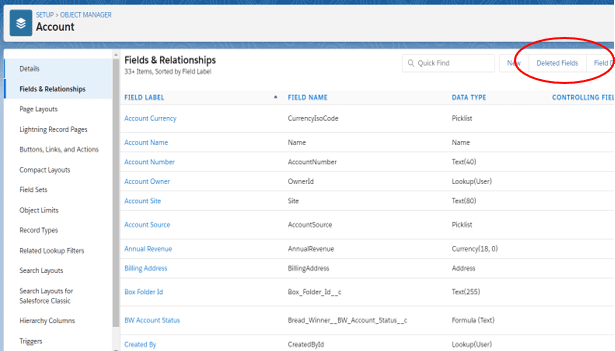
Manage Deleted fields in Lightning
Finally, you can now manage deleted fields from Lightning as opposed to having to go to Classic mode. For those of us that have only really worked in Lightning, these odd situations where we have to go to Classic to work on something have always been somewhat annoying forcing us to navigate an interface that we are far from fluent in. I look forward to the others going away shortly (managing person accounts for instance!)
So, while not the most exciting release, there are still plenty of useful changes. Here are the official full release notes.
Peter Skeffington